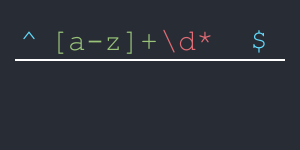
Regular Expressions Made Simple
A simple guide to understanding and using regular expressions
Most programming languages support regular expressions (regex). Because regex enables powerful pattern matching and text manipulation, it's a valuable skill to learn. This guide will cover basic concepts and advanced techniques.
The following basic syntax elements simply need to be memorized (there are only 21 of them). Once you understand their meanings, reading and writing regular expressions becomes much easier. Review these for a few minutes each day for a week.
. a period matches any single character except for a newline
^ a carot matches the start of a line, unless it is the first character inside square brackets. (Remember they dangle a carrot in front of the rabbit)
$ a dollar sign matches the end of a line (Remember the saying "the buck stops here")
\ a backslash escapes special characters
[ ] if characters are in square brackets it means to match any characters inside. There is one exception for this. If the first character in square brackets is a carot ^ then it means to NOT match any characters inside.
\d matches any single digit. Same as [0-9]
\D Matches any single character that is NOT a digit. Same as [^0-9]
\w matches any word character (letters, digits, underscore). Same as [a-zA-Z0-9_]
\W matches any characters that is NOT a word character. same as [^a-zA-Z0-9_]
\s matches any whitespace character (space, tab, newline)
\S matches any character that is NOT whitespace
* a star matches 0 or more occurrences
+ a plus matches 1 or more occurrences
? a question mark matches 0 or 1 occurrence
{n} a number inside curly brackets matches exactly n occurrences
{n,m} two numbers inside curly brackets matches between n and m occurrences
( ) parenthesis capture the matched text for later use
i case-insensitive matching
g global matching (find all matches)
m multiline mode
s treat the whole thing as a single line
Okay, now that we've (hopefully) memorized the list above 😉, let's walk through an example to see how it all comes together. Consider the following Python function. What do you think the whatami function is checking for? Note: the regex is in green.
import re

def whatami(str):
    if(type(obj) is str):
        return bool(re.search(r"^[\w\.\+\-]+\@[\w]+\.[a-z]{2,10}$", str))
    else:
        return False
The regex of the function above is ^[\w\.\+\-]+\@[\w]+\.[a-z]{2,10}$ Lets break it down and see if we can understand what it is checking for...
- First, notice the ^ at the front and the $ at the end. This tells us that we want to match the entire string since a carot matches the start and a dollar sign matches the end. Hence we are looking at the entire string.
- Next we have a square brackets [ ] with \w inside followed by some special characters that are escaped. This says to match any word character (letters, digits, underscore). We also want to add periods, plus signs, and dashes to our match. To do so it escapes them using the backslash.
- The plus sign + after the ending bracket says to match 1 or more occurrences of the stuff in square brackets before it.
- Then we are escaping the @ sign with a backslash \@.
- The second set of square brackets uses \w to match just letters, digits, underscores.
- the plus sign + following says to match 1 or more of the stuff in square brackets before it
- After the second match we have \. that means we want to look for a period. Since period has special meaning in regex we have to escape it to look for an actual period.
- Our third set of square brackets [ ] contains a-z. This says to match any alphabetic character. Note: You can also do A-Z for uppercase characters and 0-9 for any number...
-
Lastly, it is following by curly brackets { } that tells us that the alphabetic characters preceding must be between 2 and 10 characters in length.
In other words, we're trying to match a string that starts with any number of (letters, digits, underscores, periods, plus signs, and dashes), followed by an "@" sign, followed by any number of (letters, digits, and underscores), followed by a period, followed by some letters that are between 2 and 10 characters in length.
You have probably already guessed but the expression is checking for a valid email address. 🙂
Here is an example python script that checks for a valid Email address.
import re

def isEmail(str):
    if(type(obj) is str):
        return bool(re.search(r"^[\w\.\+\-]+\@[\w]+\.[a-z]{2,10}$", str))
    else:
        return False

if isEmail('youremail@gmail.com'):
    print('valid email address')
else:
    print('invalid email address')
Here is the same function in PHP
<?php
if(isEmail('youremail@gmail.com')){
    echo 'valid email address';
}
else{
    echo 'invalid email address';
}

function isEmail($str=''){
    if(strlen($str)==0){return false;}
    if(preg_match('/^[\w\.\+\-]+\@[\w]+\.[a-z]{2,10}/',$str)){return true;}
    return false;
}
Understanding regular expressions is an invaluable asset for any programmer. The ability to quickly and efficiently manipulate text data is crucial in countless programming tasks, from data validation and parsing to search and replace operations. By mastering regex, you'll not only be able to write more concise and powerful code, but you'll also gain a deeper understanding of how to work with strings, ultimately making you a more versatile and effective programmer. This knowledge will empower you to tackle complex text-based challenges with confidence and improve the overall quality and efficiency of your code.
Enjoyed this article? Share it with someone who'd love it too.